Kling 3.0: Unified and Advanced Multimodal AI Video Model
Lip-sync dialogue in 5 languages, get multi-camera cuts with AI Director, and videos up to 3 minutes in 4K Ultra HD. Starting at $5.99/month with 66 free daily credits - now is the time to try Kling 3.0 video maker and get ahead of the curve.
What Exactly Is Kling?
A Kuaishou video model, the Kling video generator is for creators requiring video, audio, and images from one system. Now, as a global creative tool, Kling 3.0, a text-to-video Chinese model, represents a big leap: a multimodal framework that generates dialogue with lip sync in five languages (English, Chinese, Japanese, Korean, Spanish), background music and sound effects, and clips from 5 seconds to 3 minutes, all within the same pipeline.
By using a single pipeline for creation, this model eliminates the problem most AI video tools suffer from: the “Frankenstein effect.” You create a clip in one tool, add audio in another, and it feels like it was all stitched together, but not with Kling 3.0. Both audio and video come from the same architecture, so the sync is always on point. The AI Director automatically breaks scripts into multi-shot sequences; you can draw motion paths on top of frames using the Motion Brush. All this — and the pricing stays aggressive — with 66 free daily credits and plans from $5.99/month.
Now, you can try Kling right here on our platform. Generate a video with audio right in your browser with no account or setup. Start with free credits and upgrade when you need more power or longer clip.
Key Features
Native 5-Language Audio
Lip-synced dialogue is available in English, Chinese, Japanese, Korean, and Spanish. Background music and sound effects are made simultaneously with the video.
Motion Brush
You can now draw custom motion paths directly over your video frames, allowing you to control object movement in ways words won't, an unparalleled feat in AI.
AI Director
Kling natively breaks down scripts into multi-shot sequences, including camera cuts, angle changes, and transitions, giving you script-to-directed video in one step.
4K Ultra HD (Ultra Tier)
Need the ultimate output? You can get up to 4K at 60fps on premium tiers, with standard output at an impressive 1080p video generation at 30fps, all in multiple aspect ratios.
Kling Elements Effects
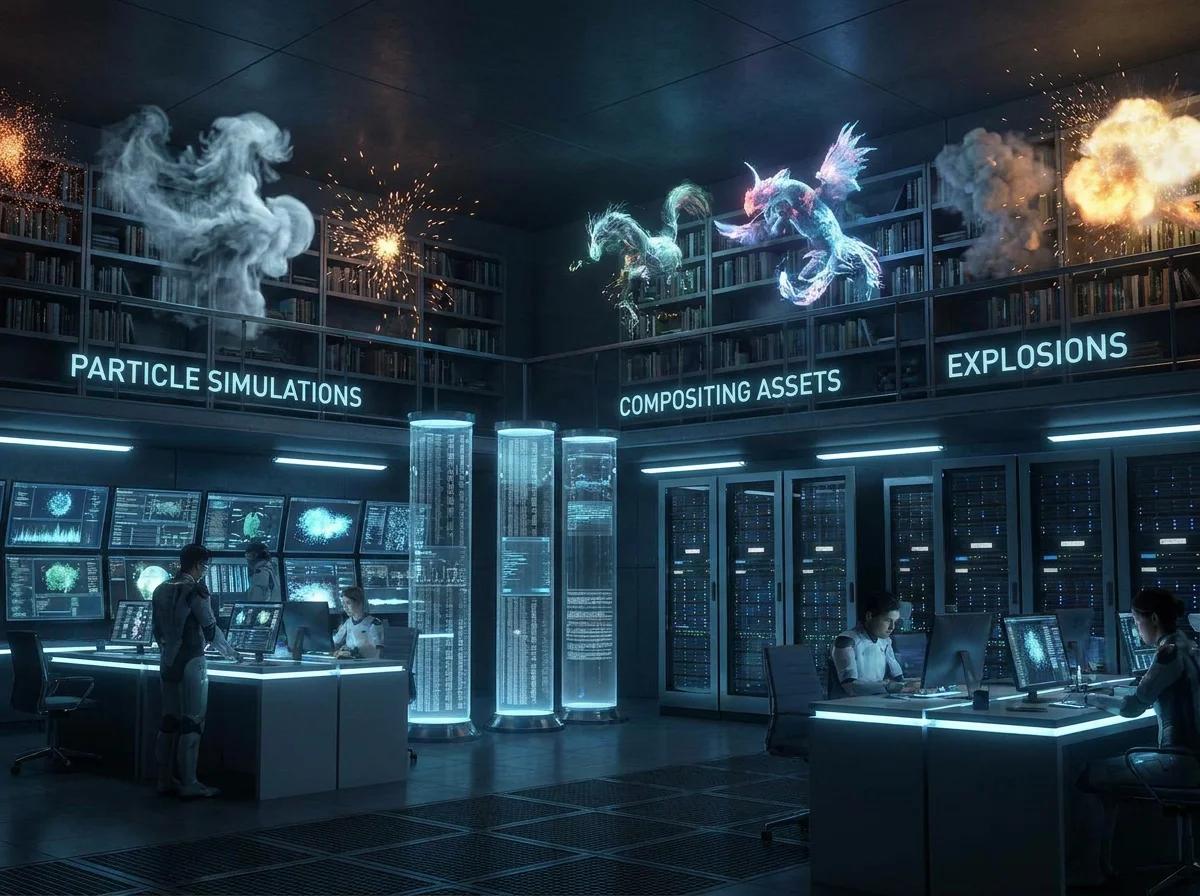
The VFX library lets you add particles, overlays, and stylistic elements to videos created in the Kling. That means you get professional video edits without post-production software.
66 Free Daily Credits
Among major AI video tools, Kling's free tier is the most generous, allowing you to create multiple clips each day for free.


What Makes Kling Different
Motion Transfer and Lip Sync
One of the best things about Kling AI is that it has a built-in movement and dialogue transfer in its system. This removes the need for manual and frame-to-frame post-production editing. This AI video model makes the job easier by enabling you to import real human movement and audio to map on your character. The lip syncing is realistic with the character replicating any movement.
AI Director (Multi-Camera)
The AI Director in Kling AI is a multi-camera feature that allows users to generate multiple scene storyboards up to 6 distinct camera cuts in a single video generation. This means users don’t have to create individual clips and then stitch them together in post-production; the AI tool automatically handles the framing, continuity, and transition.
Longest Single Generation (3 Minutes)
One of the standout features in Kling AI is that it allows users to extend video to 3 minutes using the Extend Feature. A single generation allows a maximum duration between 5 and 15 seconds; however, users can extend the clip without having to stitch the videos together.
Best-in-Class Text Rendering
Kling AI has an advanced level generating ability to ensure undistorted, sharp, and highly legible text in outputs like brand logos, labels, and signs. Unlike earlier text-to-video models that would generate outputs with blurred, drifted or distorted texts in videos, this AI video model renders text with high fidelity.
How Creators Use Kling
How To Use Kling
Three steps to your video
Start by describing the scene
Uploading a reference image for image-to-video, or using Motion Brush to draw custom paths.
Video generation
The video generation speed is about 30–60 seconds for a 10-second clip to generate in the Standard model. Times vary when using AI Director mode for multi-shot sequences. Either way, the all-in-one generation handles video, audio, and effects at once.
Refine & Export
Before you export in either 1080p or 4K, you can preview with full audio, video extend continuation up to 3 minutes, or use the Kling Elements effects. Once you export, your video is ready to download or share directly.
Camera Controls for the Pros
Compare AI Video Models
| Features |  Kling 3.0 Kuaishou |  Sora OpenAI |  Wan 2.1 Alibaba |  Seedance 2.0 ByteDance |
|---|---|---|---|---|
| Max Duration | 3 minutes | 20s | 5s | 10s |
| Native Audio | 5 languages | |||
| Lip Sync | 8+ languages | |||
| Motion Transfer | ||||
| Multi-Camera | 6 cuts | |||
| Max Resolution | 4K 60fps | 1080p | 2K | 2K |
| Free Tier | 66/day | Limited | ||
| Open Source |
Image-to-Video and Video-to-Video
Multiple input modes for maximum creative control
What Creators Say About Kling
A Unified Multimodal Framework
Kling AI uses a unified Multimodal Visual Language framework as a replacement to the old, fragmented AI workflows. This means it works as an all-in-one creative system that handles text, image, audio, and video in a single pass.
Kling 3.0 represents a fundamental architectural shift: a unified multimodal framework that weaves together video, audio, and image generation into a single, intelligent pipeline.
AI Director Turns Clip Generation Into Filmmaking
It has a powerful feature known as AI Director and it enables users to create transitions, multi-shot sequences, camera angles, and pacing.
The AI Director capability transforms Kling 3.0 from a clip generator into a genuine AI filmmaking tool.
Motion Brush — Draw Motion Paths Directly on Frames
The AI video model features a Motion Brush which allows creators to animate certain parts of a static image by drawing a direction for the motion vectors.
The Motion Brush lets you draw motion paths on top of frames. No other major model has an equivalent feature.
Tools Previously Unimaginable in a Single Platform
With motion transfer, multi-camera burst mode, and AI Directing previously only in individual, specialized platforms, Kling changes the game by bringing them into one integrated environment.
Kling 3.0 delivers tools that were previously unimaginable in a single platform.
Motion Quality That's Actually Good
Kling renders realistic motion in a character and it looks so good without having that AI feel. Everything looks coherent, from the camera movement to weight, character motion, and timing.
The motion looks more natural than many other competitors. Like, not 'good for AI' good, but actually good.
60% Faster, 62% Cheaper
Kling AI 2.5 Turbo model is designed to ensure users don't have to spend more time or incur higher costs in comparison to other AI models. It helps reduce iteration time but does not compromise quality.
Kling AI 2.5 Turbo delivers 60% faster generation and costs 62% less than older versions.
Prompt → Result Gallery
All videos generated with Kling models — click to see details


