Gemini Omni: Google's AI Video Model That Edits Through Conversation
With text and images, audio and video as inputs, you can now produce nearly anything! Then you can use conversation to modify your creation(s). Gemini Omni, Google's DeepMind AI model, is the first of its kind as a true video editor AI. Utilizing multimodal input and multi-turn editing, Gemini is breaking new ground in AI video generation!
What Is Gemini Omni?
Gemini Omni was revealed on May 19 by Google. This is an evolution of its multimodal AI generation contribution to Google DeepMind at the Google I/O 2026 conference. Using the reasoning intelligence in Gemini, along with advanced media rendering, allows a new model based on the native transformer architecture to generate high-quality video from a single model that takes in text/image/audio/video as input and uses them to produce text-to-video output with usable audio.
Omni provides a text-to-image tool but has many additional features as well. Omni’s "multi-modal" functionality allows for the ability to process multiple types of media at once. Just upload your reference image, leave a voicemail message and give a detailed text instruction, and you will create one cohesive scene as opposed to three separate resources.
The Gemini Omni Flash is the first member of the Gemini family of products that allows users to create high-speed videos at up to 4K resolution with accompanying audio. The Gemini Omni Flash produces 10 second videos and is accessible via the Gemini app, Google Flow, and YouTube Shorts. The company plans to expand the capabilities of future models by providing individual picture creation capabilities and allowing for audio playback options and producing longer duration video formats. The Gemini Omni Flash will also be the official replacement for Veo as the main ai-based video editing tool from Google.
You can experience Gemini’s capabilities directly on our site by creating and editing video content using an AI engine that allows you to create unique new videos utilizing both your images and video clips as well as your text descriptions, all within one easy-to-use interface.
What Makes Gemini Omni Different
Intelligent Video Editing
Most images require multiple edits which several prompts. Gemini Omni allows users to build on an image without starting fresh for each iteration. The model alters lighting, without sacrificing other elements. Omni archives the image after every edit. This allows a singular change, while keeping everything else consistent.
Upload Any Asset, Get One Output
With multimodal abilities, Gemini Omni doesn’t oblige users to convert elements into text. That means users may input images, sound, videos, and text all at once. Creators may input directions about their desired emotion, ideal sound, and include a video clip. Omni takes this information, synthesizes it, and produces media.
Real-World Knowledge
Omni has encyclopedic knowledge which enables it to understand and create content from science, philosophy, medicine, architecture, and historical events with precision. This available knowledge allows creators to envision a world, describe its sounds, detail its appearance, and define other elements, and Omni will both accurately and realistically produce it.
Omni Remembers the Original
With Omni, there is no need to reinvent the wheel. The users’ original instructions are embedded in its model so that multiple edits can be made without losing the authenticity of an initial representation. Whether it be one or four edits, the original person, building, or element, remains the same.
Our Favorite Features of Gemini Omni
Multimodal Input
When you use multimodal classes to create a prompt it allows you to include multiple different types of media (e.g., text, pictures, music, etc.) to find one answer based on all the input. Omni uses all the different types of media at the same time and processes them at the same time rather than using one after another to produce one unified result.
Up to 4K Resolution
When played back in full screen, many AI models will have soft edges or blur, but this is not the case with Omni; it will stand up to being scrutinized. Omni provides enough resolution for any professional marketing, social media and/or even cinema.
Synchronized Audio
Have you ever watched a video of someone talking, but it seemed to be poorly synchronized with what he/she was saying because of a mismatch in both speech and sound? With Omni, you can combine the creation of the soundtrack (including voice narration, background sounds and all other sounds that will be included in the final product). The sound and video will be generated together rather than adding the sound layer after creating the video.
Conversational Editing
An ongoing dialogue for fine-tuning your video allows for modifications in style, component, camera angle and yet not disrupt any of the larger content. Each successive request builds on the prior response, rather than providing a completely new version of the same material.
Style Transfer & Element Replacement
Have you ever wanted to refer to a single image for your visual style? You can accomplish this and swap objects or characters in the middle of your scene with no loss of quality. Video style transfer and video element replacement are accomplished through your text instructions without any manual masking or rotoscoping.


Tips to Seamlessly Generate with Gemini Omni
Step-by-Step Guide

Choose Your Inputs
Choose any type of content to start with: descriptive text, image or images, audio or video, some combination of these. Reference materials which show the actions you would like to see happen (motion) and the feeling (mood) will provide Omni with context to use when they try to create the vision for you as best as possible. Edits done in natural language will use natural language input to create an edit.
Omni Generates
With its global reasoning capabilities, the model creates a coherent video from the combination of the entire input and audio sources. It uses its knowledge of all areas of human effort such as physics, culture, science, and narrative reasoning to intelligently add any missing information. For example, if you give Gemini a picture of a mountain lake, it will provide you with a video representing a mountain lake; in this case, it will also add wind generated ripples, reflective clouds, and sound in the background from birds chirping; even though these were not requested, it will add them anyway.
Edit Through Conversation
Prompt accuracy matters here, but you can easily refine via a natural language editing conversation: "Make the lighting warmer." "Change the background to a city street." "Stabilize the shot." Each iteration builds on its predecessor, regarding scene state (characters, objects, style, camera positioning). The iterative loop eliminates the regenerate-from-scratch workflow completely.
Evolution of Google Video AI
From Veo to Omni Veo 2; 3 (and 3.1); and finally Omni Flash comprise three years' worth of Google research into developing video AI products. Each version represents a new wave of innovation and creativity. Each version builds upon the previous one to provide greater capabilities and higher quality.
| Features |  Veo 2 | Veo 3 | Veo 3.1 | Omni Flash |
|---|---|---|---|---|
| Release | Dec 2024 | May 2025 | Oct 2025 | May 2026 |
| Max Resolution | 4K | 4K | 4K | 4K |
| Audio | None | Native dialogue | Enhanced dialogue | Synchronized multimodal |
| Input Types | Text, image | Text, image | Text, image | Text, image, audio, video |
| Editing | None | None | None | Conversational multi-turn |
| Duration | ~8s | ~8s | ~15s | ~10s (expanding) |
| Physics | Basic | Improved | Good | World model grounding |
| Integration | AI Studio | Gemini, Flow | Gemini, Flow, Vids | Gemini, Flow, YouTube |
Veo Legacy & Omni Evolution
- With its native dialogue, Veo solidified Google's role in AI Video. With the launch of the first version of Veo, (3), that could create realistic speech synchronized with lip movements, no other model was able to do it at launch (Veo 3.1 was introduced later to expand the duration of each speech to approximately 15 seconds and add video continuations for sequencing clips).
- There is also a new approach to be taken by Omni which is completely different than what Veo has used in their development of a text-to-video pipeline. Rather than improving the text to video process that has already been developed, Google has started from scratch by creating a new pipeline that utilises both multi modal input and adding user generated dialogue for video editing. The omni flash model has a much shorter duration for the raw video sample as compared to the Veo 3.1 model.
- The omni model uses 10 second raw video clips while the Veo model produces 15 second clips had been used for raw videos. Google's decision to produce a 10 second video clip is by design as they are providing more opportunities to produce different types of materials for the consumer instead of having a greater length of time to complete a video project. Longer output times will be added to the omni flash models following future updates.
- For anyone already using Veo, there is no question that Omni is the new place to find Google’s video AI. Veo 3.1 is still available through API access for existing workflows but all new development is focused on the Omni product family. Before and After example: Phone Video - Street Musician video shot from handheld camera being shaky → Cinematic Styled Video with Cinematic tracking; Warm Color-Grading; Ambient City Sounds. Both videos contain the same musician performing on the same instrument, but with very different visual effects created by a single conversational prompt.
Before / After

Still Photo to an Animated Story
Photo becomes Character Reference and Omni creates whole world around her. Sketch - Realistic Footage, Rough Pencil Sketch of Dragon in Flight - Fluid Realistic Animation with Dramatic Lighting, Highly Detailed Wing Physics and Wind Effects. Drawing serves as Motion Reference; Omni Handles Rendering.
Split Clip to a Style Transfer
The motion would be the same, but the visual language would be completely different.
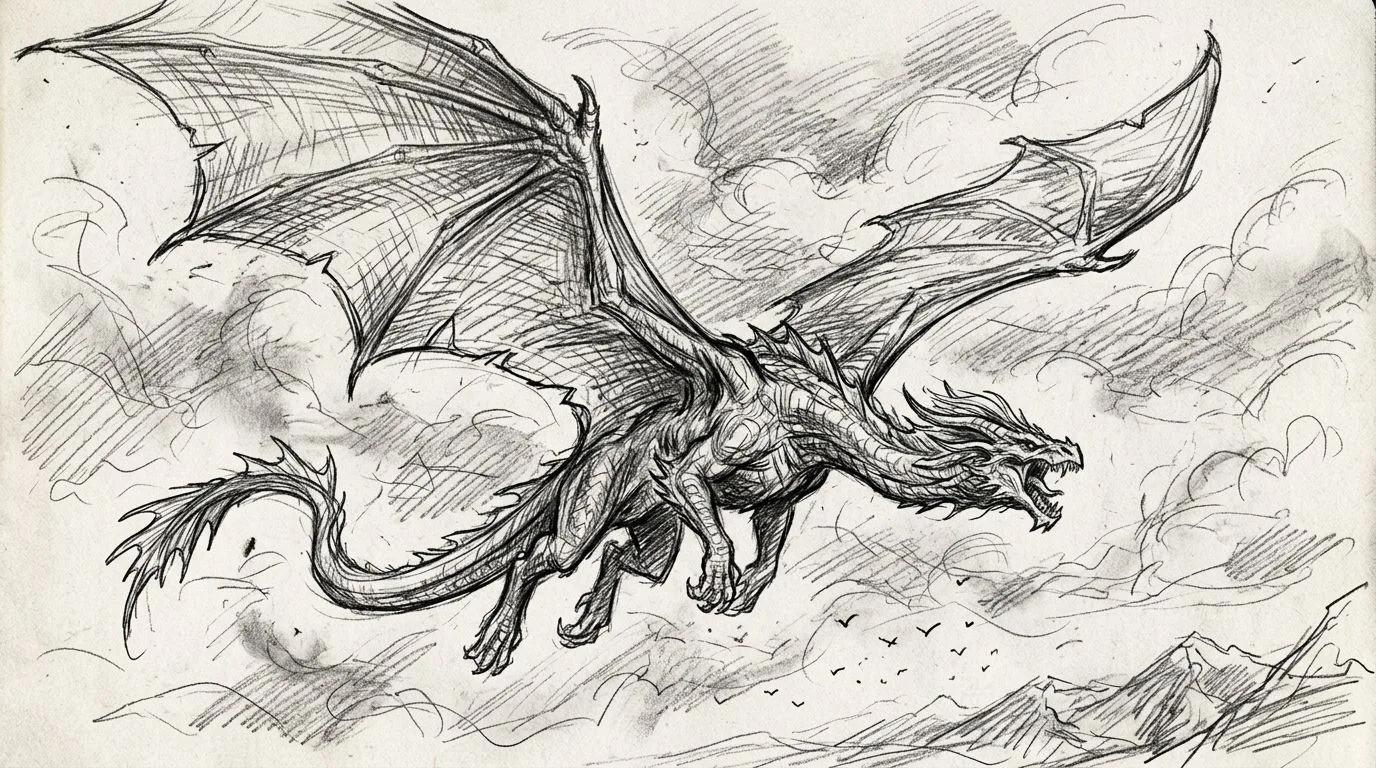
Sketch to Realistic Footage
The drawing serves as motion reference; Omni handles the rendering.
Use Cases For How Creators Use Gemini Omni
Why Creators Choose Gemini Omni
The First True Multimodal Video Model
Omni does not only convert text into videos but rather reasons through all the types of data (text, image, audio, and video) simultaneously when generating output. This is what Google was trying to achieve as part of the major improvements that have been made to Gemini (which introduced its 1st generation technology and opened up its API) over the last 3 years.
"Gemini Omni is where Gemini's ability to reason meets the ability to create. Omni is our new model that can create anything from any input — starting with video."
Edit Videos Like You'd Edit a Document
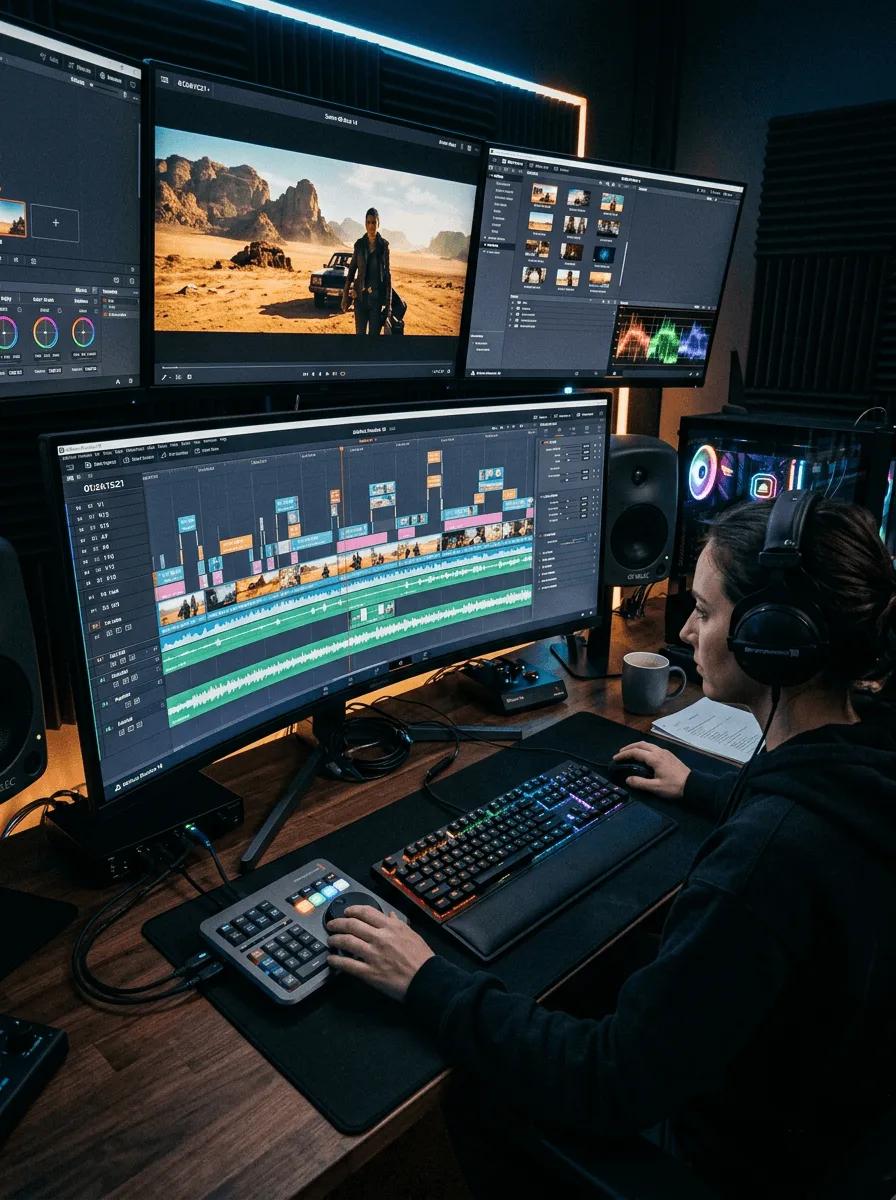
The timeline is removed through conversational editing. There are no layers, keyframes or rendering pipelines. Simply tell the model what you would like to change and it will make the change while preserving everything else. This represents the most significant change in workflow for video editing from the introduction of non-linear editors.
"Google just shipped a video AI that lets you edit clips by talking to them — no timeline, no software, no experience needed."
More Than a Veo Upgrade
According to Google's own product lead, Omni is not Veo 4; it is instead a completely new architecture that integrates Gemini's reasoning with media rendering into one system. Both the intelligence and the creation of the media are done within the same model, meaning that there are no longer two separate tools that need to be connected through a pipeline.
"It's the next step towards the progression of combining the intelligence of Gemini with the rendering capabilities of our media models."
World Knowledge Changes Everything
The Omni-world model is aware of everything that relates to the images it creates. If you were to ask the system for a historical scene, it has knowledge about how buildings were constructed. If the user requests a scientific explanation, the system will have accurate data. With a world model, the context derived from extensive experience (knowledge) and not solely from the example of an image created through training.
"Veo 3, Google's concerningly good video model, debuted at last year's I/O, but there's a new video-generator in town this year. Google says Omni was designed to be truly multimodal, so it can accept any kind of input data and produce anything you want."
Google's Full Creative Ecosystem
Omni exists in Gemini, Google Flow, YouTube Shorts, and YouTube Create. For creators who already use these platforms from Google, the experience will be seamless. For everyone else, they will see what they want. There are no separate applications or accounts, just one model across all of the creative surfaces.
"Omni will work in Flash, the Gemini App, Google Flow and YouTube shorts, supporting image and audio."
A Serious Step Beyond Pattern Matching
Omni is moving from matching patterns to Heterodoxic AI Output Generation. Omni has made a major shift from traditional prompt-based outcome generation and has become an interactive creative AI (aka real-time editing). No other models allow for multiple turns of editing with scene memory across this level of complexity.
"From everything I have seen so far, Gemini Omni feels less like a small upgrade and more like a serious step toward native multimodal AI video."
Compare AI Video Models At Our Site
You can easily do a video model comparison of how well each AI video model measures up against all other available models on our website.
| Features | Omni Flash |  Sora 2 |  Runway Gen-4 |  Kling 3.0 |  Wan 2.1 |
|---|---|---|---|---|---|
| Architecture | Multimodal Transformer | DiT | Temporal Transformer | DiT 3D VAE | DiT (Open Source) |
| Input Types | Text+Image+Audio+Video | Text+Image | Text+Image | Text+Image | Text+Image |
| Max Resolution | 4K | 1080p | 4K | 1080p+ | 720p |
| Native Audio | Yes (sync) | ||||
| Conversational Editing | Yes (multi-turn) | ||||
| Digital Avatars | Cameos (discontinued) | ||||
| Duration | ~10s | ~20s | ~10s | ~10s | 5s |
| Physics Accuracy | World model | Good | Good | Excellent | Good |
| Best For | Multimodal creation + editing | Cinematic generation | Professional VFX | Human realism | Self-hosted, custom |
Model Comparison Insights
- Compare each model: Sora, Runway, Kling, Wan, Veo, all on our platform.
- The comparison of video models illustrates Omni's unique position within the models, as they are the only model(s) that accept all four input formats in multiple mode editing. Sora matches in terms of audio only (no editing). Runway holds the lead for consistency in visual effects, but there is no audio available. Kling is the leader in human realism, but it can only process input via text and images. Omni's win in each model, although not necessarily individually, comes in terms of the workflow.